Installation guide
How to Install Monster IPTV UK – Step by Step
Monster IPTV UK works on almost every device. Pick yours below and follow the illustrated steps – setup takes about 10 minutes. Can’t find your device? Message us and we will set it up with you.
Before you start
What You Receive After Ordering
After payment (or your free trial request) we send your login on WhatsApp or by email. Depending on your device you use one of these:
Xtream Codes login
Server URL, username and password – for IPTV Smarters, TiviMate and most apps.
M3U link
One playlist link for VLC, Smart TV players and other M3U apps.
Portal / MAC activation
For MAG boxes and Smart TV apps like IBO Player, using your device MAC address.
Step 1
Choose Your Device
How to install IPTV on Fire TV StickFire TV Stick, 4K & Cube – 21 steps with screenshots
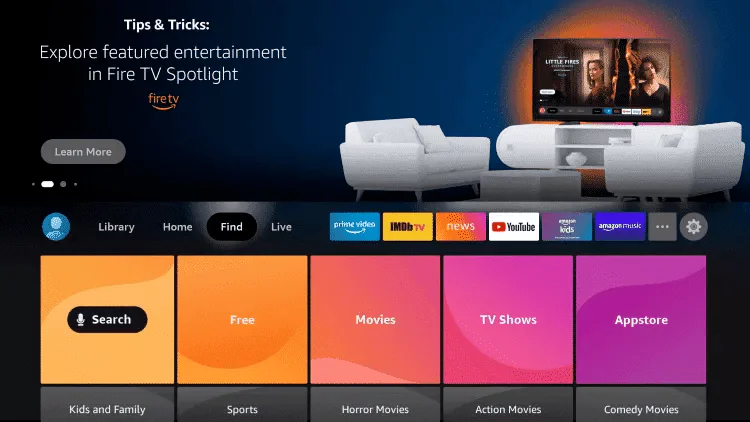
From your Fire TV home screen, go to Find and hover over the Search option.
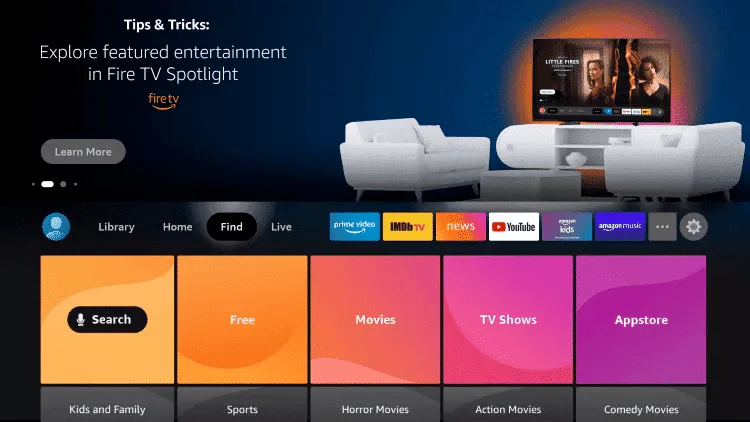
Click on Search.
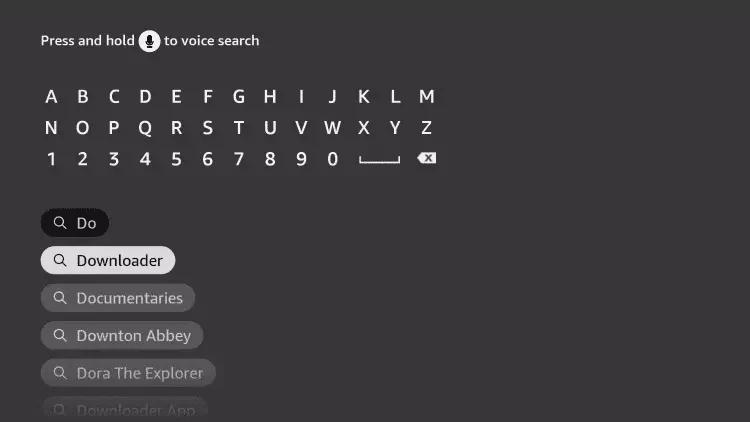
Type Downloader and select it in the suggestions.
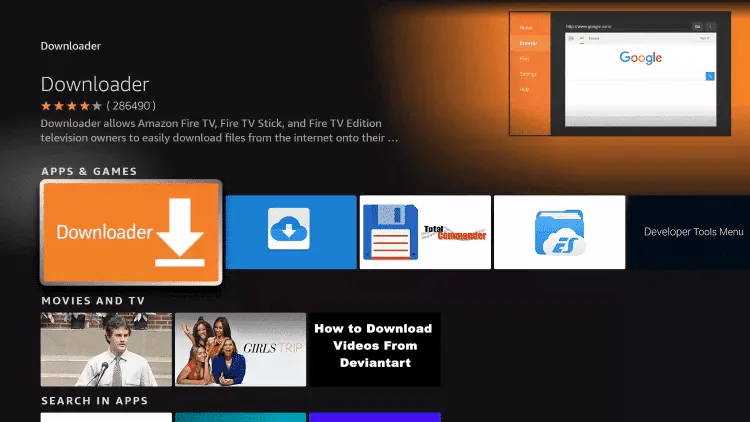
Choose the Downloader app (orange icon).
Click Download (or Get).
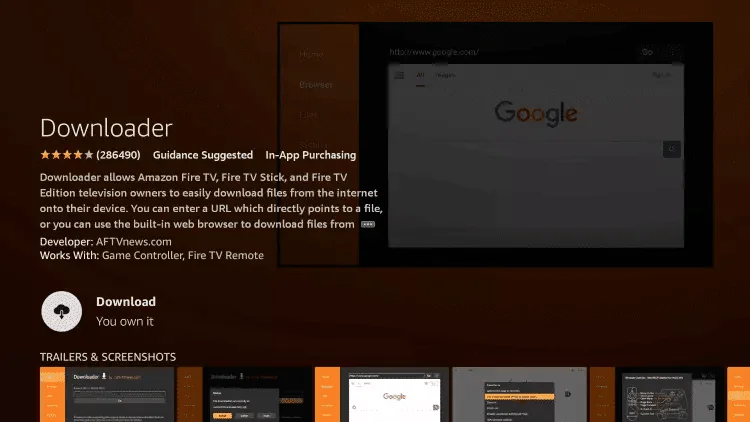
When the installation is complete, click Open once – then go back to the home screen.
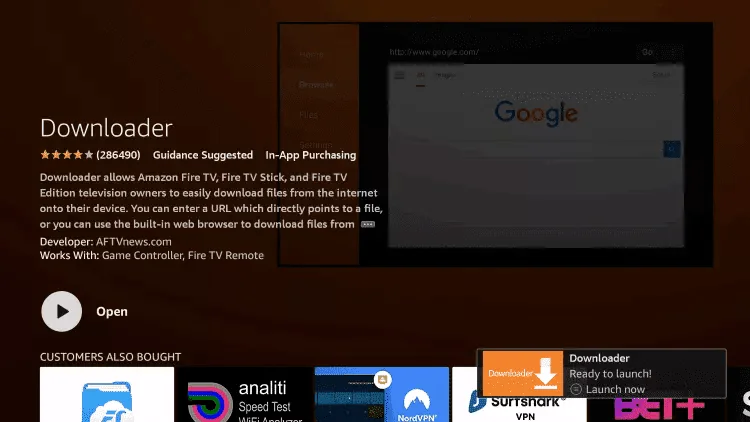
From the home screen open Settings (gear icon).
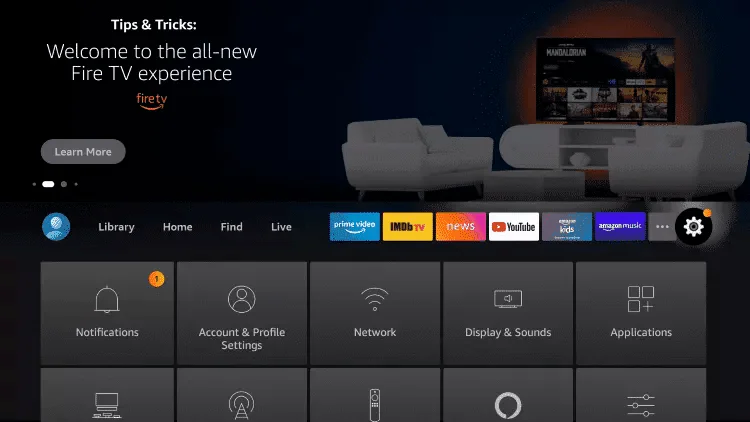
Click on My Fire TV.
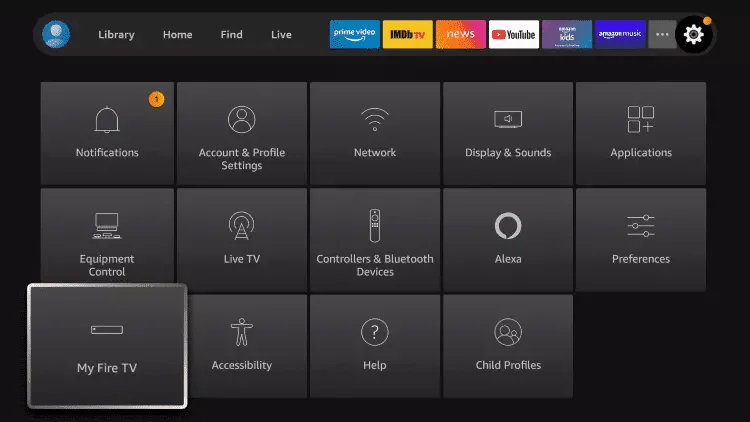
Select Developer options. Not visible? Open About and click your device name 7 times until you see “You are now a developer”.
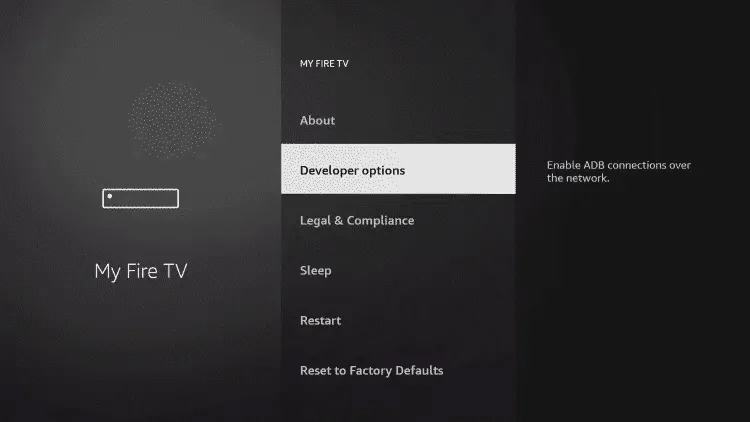
Click on Install unknown apps.
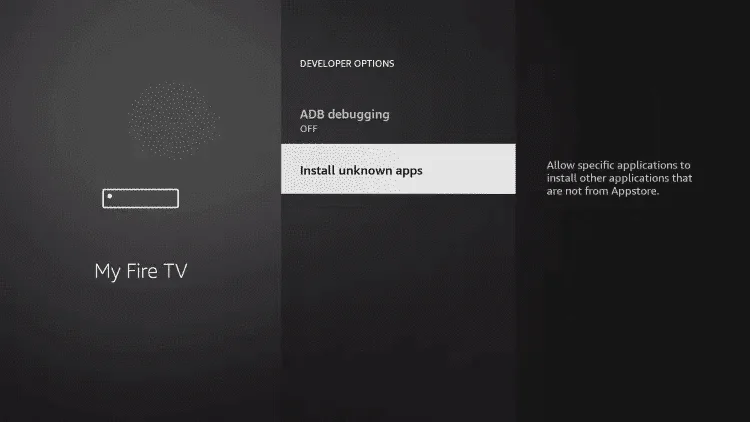
Find the Downloader app and click on it.
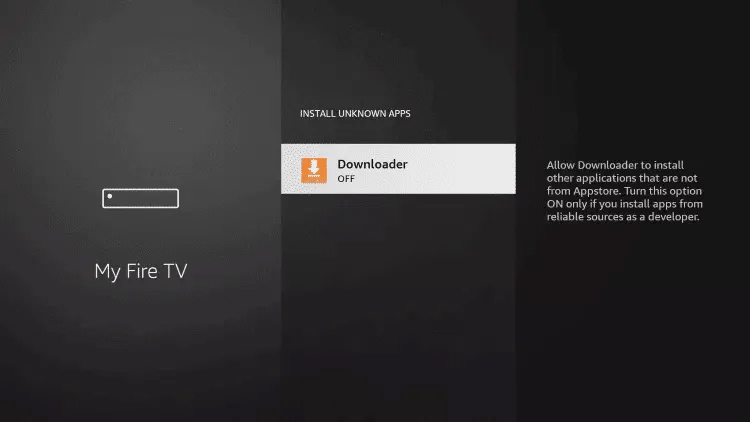
Downloader is now set to ON: this allows installing apps from outside the Appstore.
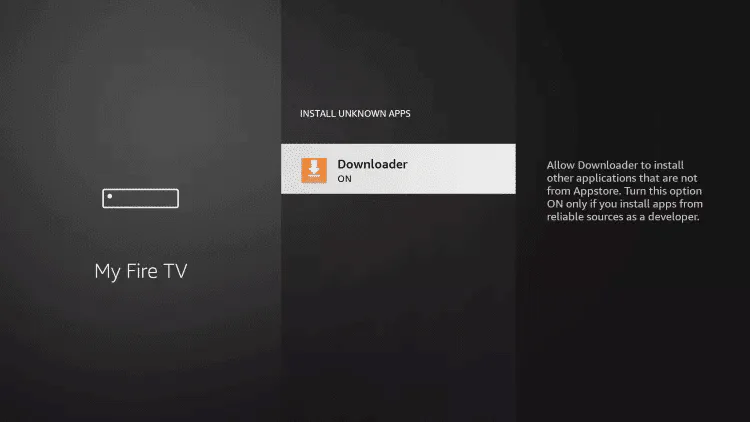
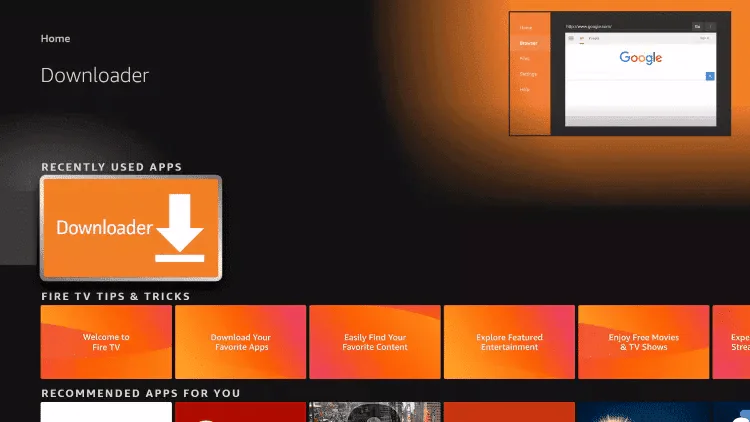
Go back and launch Downloader.
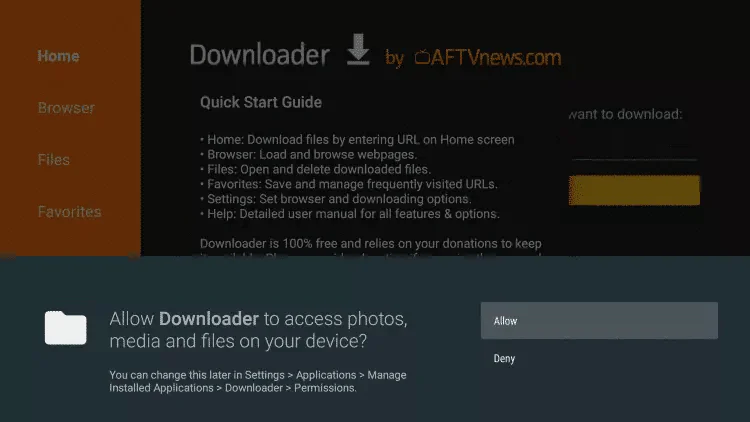
Click Allow when Downloader asks for access.
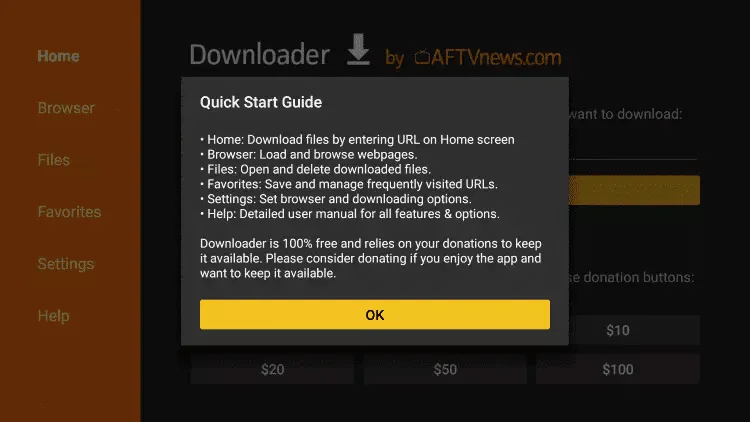
Click OK on the welcome message.
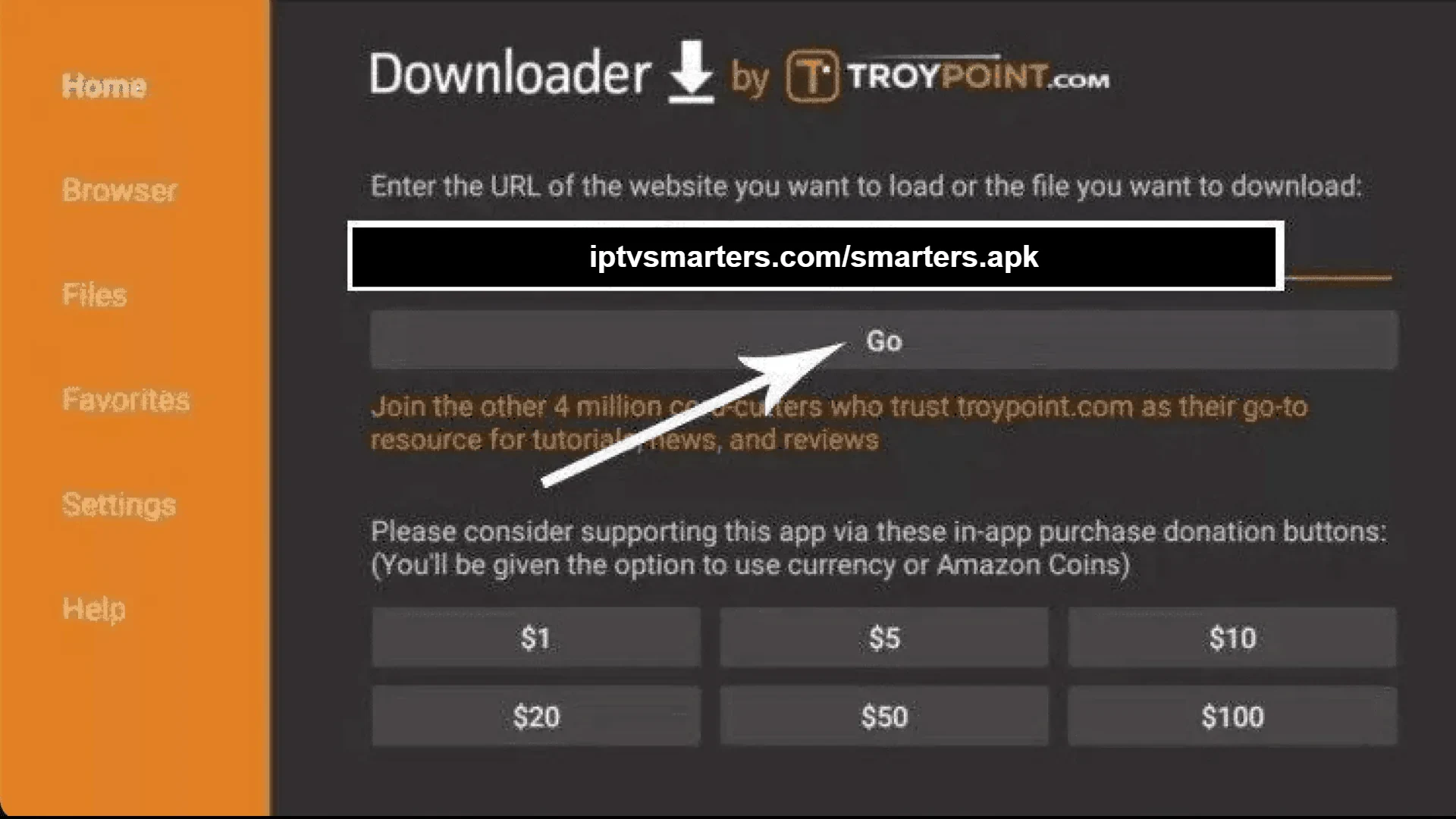
In the URL box type iptvsmarters.com/smarters.apk exactly as shown and click Go.
Wait for the IPTV Smarters file to download.
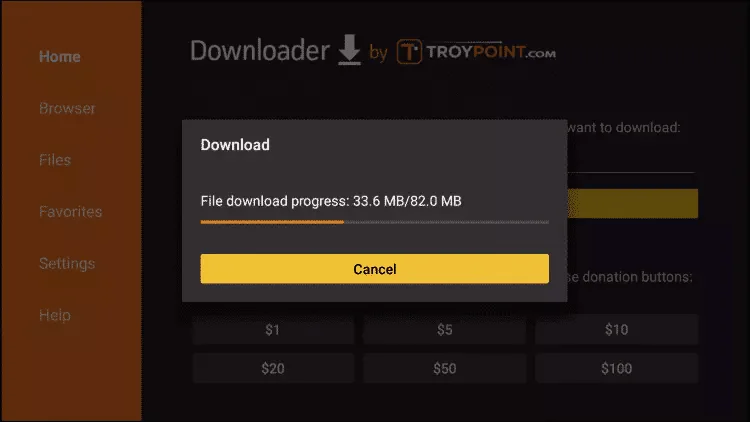
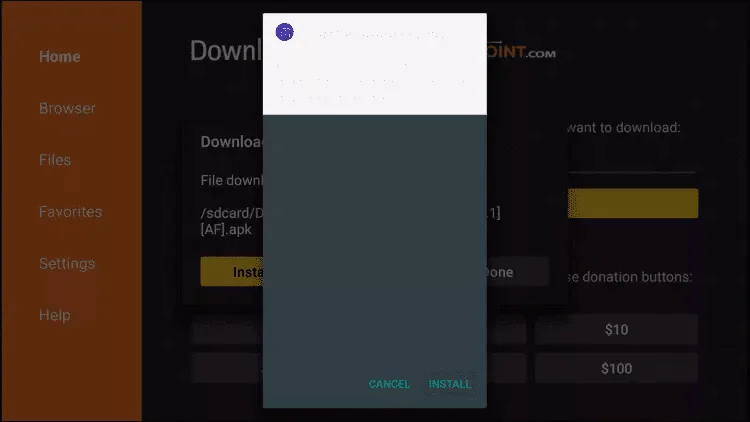
Click Install.
Click Done (you can delete the APK file when asked to free up space).
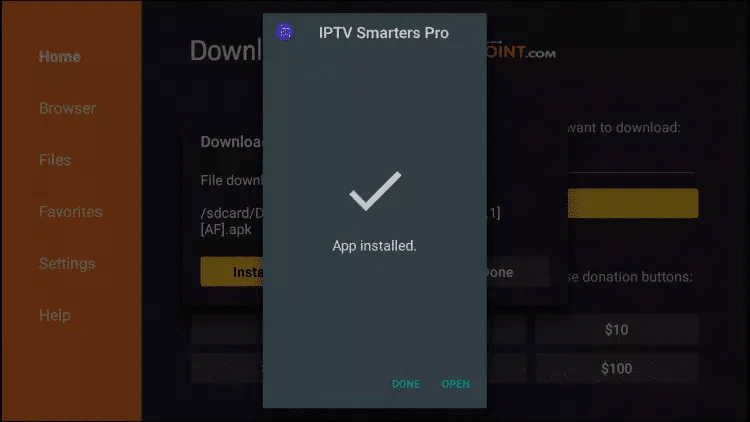
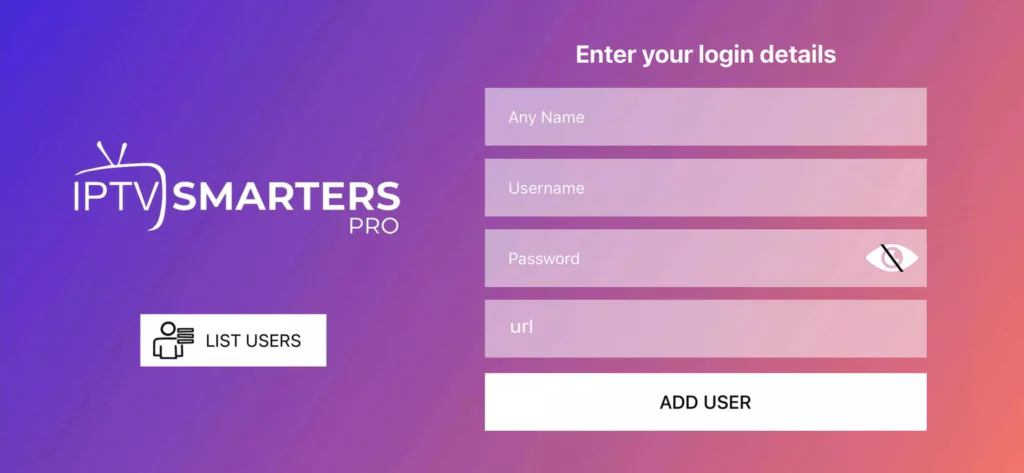
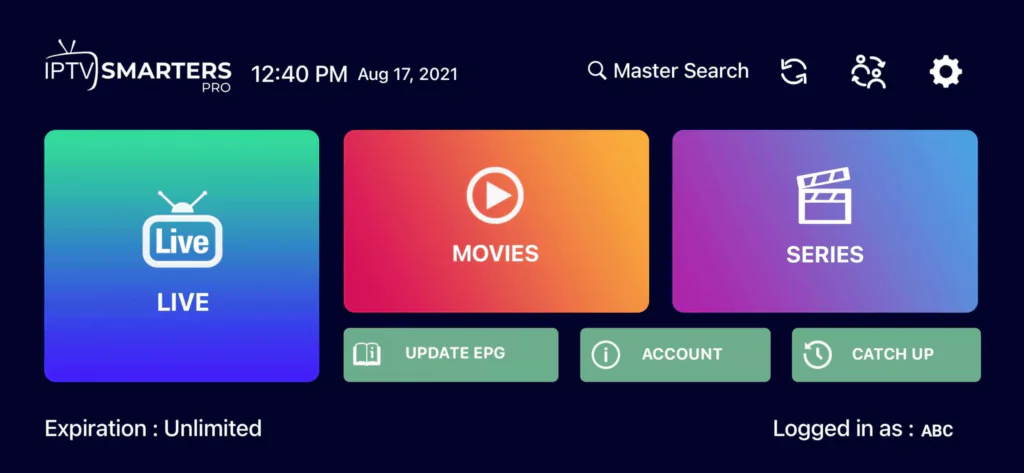
Open IPTV Smarters, choose Login with Xtream Codes API and enter the details we sent you on WhatsApp (any name, username, password, URL). Click ADD USER.
Wait a few seconds while everything loads, then click LIVE to watch TV, or MOVIES and SERIES. Click Update EPG once for the TV guide. Enjoy Monster IPTV UK!
How to install IPTV on AndroidAndroid TV box, phone, tablet, NVIDIA Shield
Download IPTV Smarters Pro from Google Play, or on Android TV boxes open the browser / Downloader and go to https://www.iptvsmarters.com/smarters.apk.
Open the app, accept the terms and choose Login with Xtream Codes API.
Enter the details we sent you after your order and tap ADD USER.
Wait a few seconds, then tap the LIVE TV icon. Tap Install EPG once to load the TV guide.
Choose a channel group (for example UK | Sport), tap a channel, then tap it again for full screen.
Prefer a TV-guide layout on Android TV or Firestick? Use TiviMate: Add playlist → Xtream Codes and enter the same details.
How to install IPTV on Apple / iOSiPhone, iPad & Apple TV
Open the App Store, search for Smarters Player Lite and install it on your iPhone, iPad or Apple TV.
EntertainmentGET
Open the app, accept the terms and select Login with Xtream Codes API.
Enter the login details from Monster IPTV UK and tap ADD USER.
Tap LIVE TV. To fill the TV guide just tap Install EPG – no EPG link needed.
Choose a group and a channel, then tap again for full screen. On Apple TV the steps are identical with the Siri Remote.
How to install IPTV on Smart TVSamsung, LG & other Smart TVs
Open your TV app store (Samsung Apps on Samsung, LG Content Store on LG) and install IBO Player, IBO Player Pro, Set IPTV or Net IPTV.
Open the app after installation. The MAC address (and with IBO Player the device key) is shown on the screen.
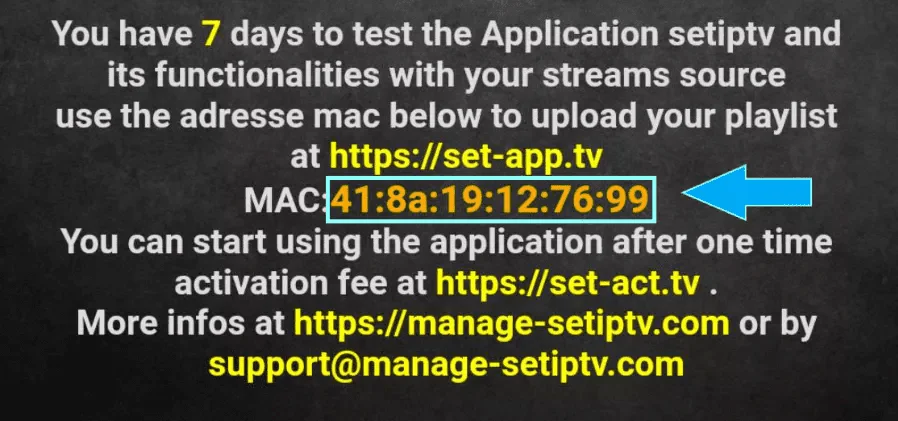
Send us the MAC address and device key on WhatsApp. We add your Monster IPTV UK playlist to the app for you.
Key: 123456
After a few minutes, restart the TV and open the app: your channels, films and series are ready.
How to install IPTV on Windows / MacPC & MacBook
Download IPTV Smarters for your computer: https://www.iptvsmarters.com/download?download=windows (Windows) or https://www.iptvsmarters.com/download?download=mac (Mac).
Install and open the app, then choose Login with Xtream Codes API.
Enter your Monster IPTV UK details and click ADD USER.
Quick alternative: open VLC → Media → Open Network Stream and paste your M3U link.
How to install IPTV on MAG BoxMAG & Formuler boxes
Find the MAC address on the sticker under your MAG / Formuler box, or in Settings → Device info.
Send the MAC address to us on WhatsApp. After payment we send you your portal URL.
Go to Settings → System settings → Servers → Portals. Portal 1 name: Monster IPTV UK, Portal 1 URL: the link we sent.
Save, go back and restart the box. The Monster IPTV UK portal loads automatically.
Tip: for 4K, connect your device with an Ethernet cable and use at least 40–50 Mbps broadband. App names and logos belong to their respective owners; Monster IPTV UK does not provide or host third-party apps.
We’re Always Here to Help, 24/7
Stuck on a step? Send us a photo of your screen on WhatsApp at +44 20 3807 9521 and our team will guide you live.